Connect & arm.
Choose your inputs. Name your tracks. Arm individually or use Quick Arm for all eight.
 EIGHTTRACKAUDIORead the manual
 A dedicated 8-track recorder for the way you make music. Build it on your hardware. Capture it in Eighttrack. Finish with a mix that’s yours.
Explore the console8 mono tracks. One focused workflow.
MADE FOR HARDWARE BEATMAKERS
Your sampler already has a workflow.
Eighttrack gives it somewhere to land.
Connect your sampler, drum machine or synth through an ASIO audio interface. Capture up to eight mono tracks, tighten your takes and shape the mix in a console built to stay out of your way.
Choose your inputs. Name your tracks. Arm individually or use Quick Arm for all eight.
With Wait for Audio enabled, press Record, then play your hardware. Recording begins when the input crosses your threshold.
Trim, fade, balance and process. Export your finished stereo mix as WAV or MP3.
ONE CONSOLE. THREE VIEWS.
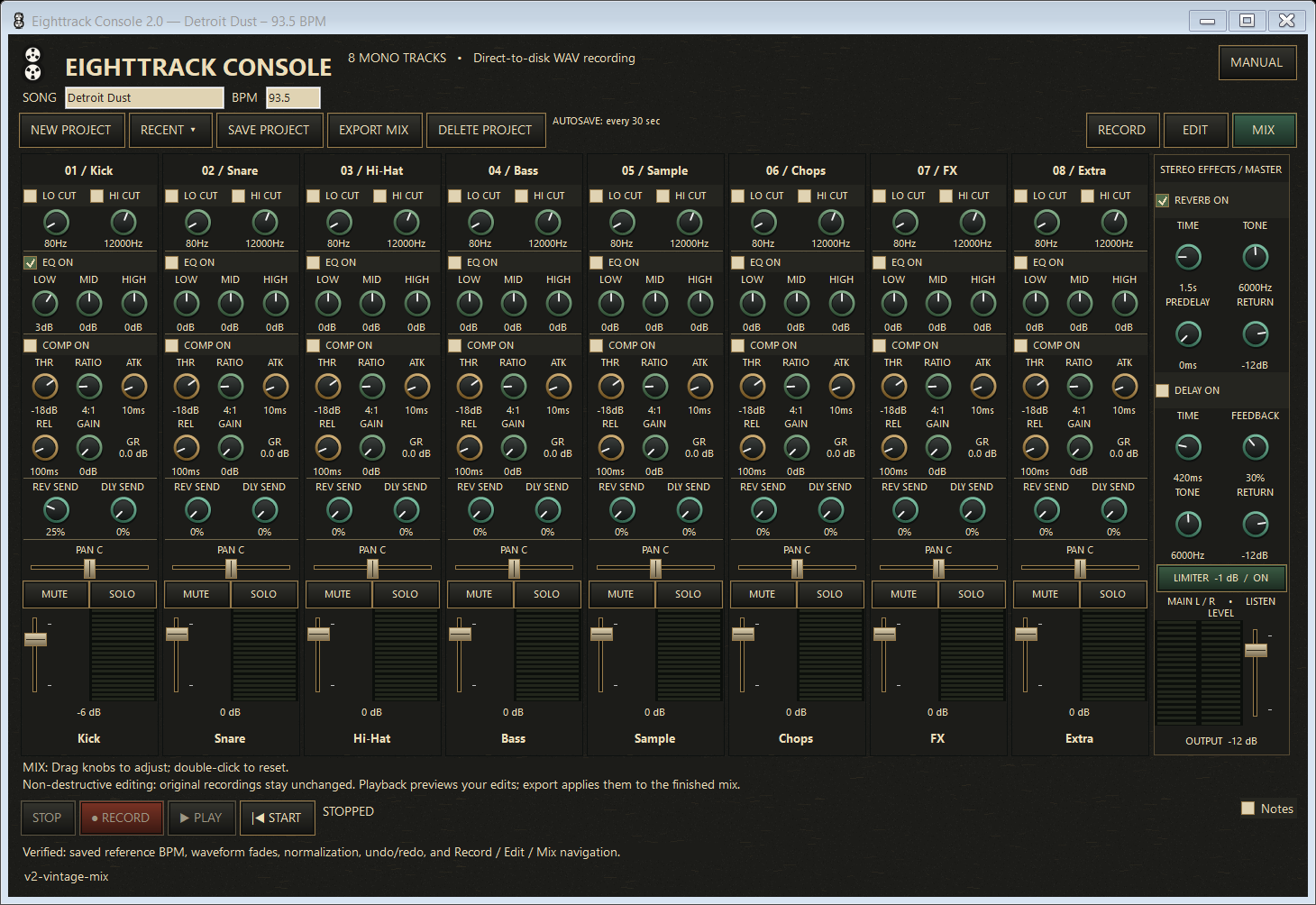
Low and high cuts, three-band EQ, compression, pan and faders on every channel. Reverb and delay sends bring it together, with a one-click −1 dB master limiter for the finished mix.
Actual application screenshots using a demo session. Both skins share the same controls and audio engine.
LESS BETWEEN YOU AND A FINISHED TAKE
Individual tracks record to mono WAV files. Your original recordings stay intact while playback previews your edits and export applies them to the finished mix.
Trim clip edges, drag fades, arrange audio and normalize all tracks to −3 dB. Mark moments on the ruler and loop a range while you work.
Save track names, notes, markers and mix settings with your song. Named projects get their own folder and autosave. BPM is a reference, never a tempo command.
No piano roll, MIDI sequencing, virtual instruments or VST hosting. Just the recording, editing and mixing tools this workflow needs.
EIGHTTRACK CONSOLE